
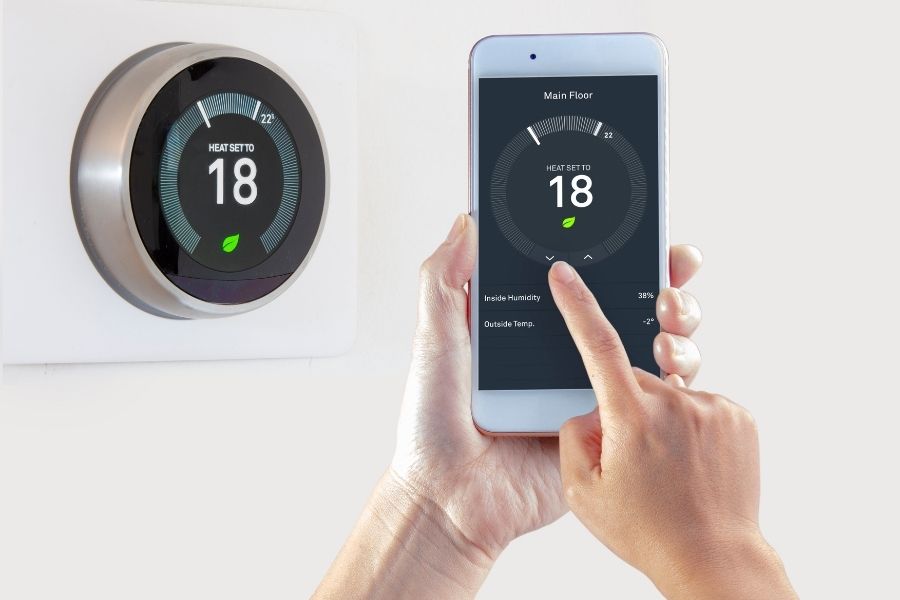
Ever catch yourself wearing a sweater inside your own house while your heating bill makes you want to cry? Yeah, we’ve all been there. But here’s something that’ll make you do a double-take: smart thermostat installation can actually cut that painful heating bill by almost a quarter. We’re talking real money staying in your wallet when winter hits hard. Think about it – most folks drop around $2,000 yearly on energy, and nearly half of that goes straight to heating. A 23% cut from smart thermostat installation means keeping over $190 in your pocket every year. That’s a nice dinner out every month, just saying.
Now, before you start thinking this requires some kind of electrical wizardry or costs a fortune in contractor fees, hold up. Installing a smart thermostat is honestly easier than figuring out your new TV remote, and it pays for itself quicker than you’d imagine.
Why smart thermostat Actually Work?
Your old thermostat is basically heating your house like it’s 1995 – full blast whether you’re home, at work, or fast asleep. Smart thermostats are like having a really attentive roommate who actually pays attention to your schedule.
The Department of Energy backs this up too – they’ve found that programmable thermostats can slash heating and cooling costs by 10-23% when people actually use them right. Smart versions take this way further because they eliminate all the human forgetfulness and add features that old-school programmable ones just can’t touch.
Here’s what makes them so effective:
They Learn Your Routine: Your smart thermostat becomes like that friend who knows you better than you know yourself. It picks up that you bolt out the door at 8:30 AM sharp and drag yourself home around 6 PM. It figures out you like it toasty at 68°F during the day but need it cooler at 64°F to sleep well. Give it a week, and it’s handling all this automatically.
Location Tracking: This is where it gets cool – the thermostat uses your phone to know when you’ve actually left. No more heating an empty house because you forgot to turn it down before that weekend trip to your sister’s place.
Weather Smarts: These things actually check tomorrow’s forecast. If it’s going to be unusually warm, your system won’t waste energy cranking the heat all day.
Control From Anywhere: Stuck late at the office? Heading home early from that boring meeting? Quick tap on your phone, and you’re walking into the perfect temperature without wasting energy on an empty house.

The Real Deal on Those 23% Savings
Let’s get into the actual numbers here. The EPA’s ENERGY STAR folks have crunched the data and found that proper thermostat programming saves homeowners up to $180 annually on heating and cooling.
Smart thermostats push these savings even higher through some pretty clever tricks:
- Smart setbacks: Automatically dropping temps when you’re gone or sleeping
- Efficient runtime: Learning how your house holds heat to run the system less
- Usage tracking: Showing you exactly where your energy goes
- Maintenance reminders: Telling you when to change filters before your system starts working overtime
Nest Labs analyzed thousands of homes and found average savings of 10-12% on heating bills and 15% on cooling costs. Ecobee reports similar numbers, with some customers hitting savings over 20%. Not too shabby for swapping out one device.
Smart Thermostat Installation: Seriously Not That Hard
This is where most people pump the brakes – they picture rewiring their whole house or calling in some expensive HVAC guru. Reality check: most smart thermostat installation jobs take about 30 minutes and need basic tools you probably already have.
What You Actually Need?
Before jumping into smart thermostat installation, grab these basics:
- Your shiny new smart thermostat
- Screwdriver set (the standard one from your junk drawer works)
- Wire strippers (only if wires need trimming)
- Your phone for the setup process
- Voltage tester (safety isn’t negotiable)
- That instruction manual (seriously, don’t wing this part)
Most smart thermostats come with installation guides that actually make sense, complete with photos. Many companies also have video tutorials and phone support if you get stuck.
The Actual Installation Steps smart thermostat
Step 1: Kill the Power First things first – turn off power to your HVAC system at both the thermostat and the circuit breaker. This isn’t being overly cautious; it’s keeping you from getting zapped.
Step 2: Document Everything Snap a photo of your current thermostat’s wiring before touching anything. Trust me, this simple step can save you from a major headache later.
Step 3: Out With the Old Unscrew your old thermostat and carefully disconnect the wires. Most home systems use standard colors: red for power, white for heating, yellow for cooling, green for the fan.
Step 4: Mount the New Base Screw your smart thermostat’s base plate to the wall. Most units fit right into existing holes, so no drilling required.
Step 5: Wire It Up Match those wire colors to the labeled spots on your new thermostat. Smart thermostats handle standard home wiring without any modifications.
Step 6: Fire It Up Snap the display onto the base, flip the power back on, and follow the setup prompts on screen.
Picking the Right Smart Thermostat
Not all smart thermostats are the same, and choosing wrong means missing out on maximum savings. Here’s what actually matters:
Compatibility Stuff smart thermostat
Your HVAC system determines which smart thermostats will play nice. Most newer systems use 24-volt controls and standard wiring, making them work with popular options like Nest Learning Thermostat, Ecobee SmartThermostat, or Honeywell T6 Pro.
Some older systems, electric baseboard heaters, or high-voltage setups might need specific models or a pro to install them.
Features That Actually Save Money
Learning Smarts: Go for thermostats that figure out your schedule instead of making you program everything manually.
Energy Reports: Detailed tracking shows you where else you can save.
Smart Home Connection: Works with Alexa, Google Assistant, or Apple HomeKit for convenience and integration with other money-saving gadgets.
Multi-Zone Management: If your house has multiple HVAC zones, make sure your pick can handle them efficiently.
When Things Don’t Go Smoothly
Even straightforward smart thermostat installation can throw you some curveballs. Here are the usual suspects and how to handle them:
The C-Wire Problem smart thermostat
Many smart thermostats need a “common” wire (C-wire) for constant power. Older thermostats often don’t have this, but there are workarounds:
- Power adapters: Most manufacturers include little gadgets that work around missing C-wires
- Battery models: Some smart thermostats run on batteries, skipping the C-wire entirely
- Pro help: An HVAC tech can run a new C-wire if absolutely needed
Compatibility Confusion
If your system has weird wiring or controls, don’t force connections that look wrong. Check the manufacturer’s compatibility tool on their website before buying.
Wi-Fi Headaches smart thermostat
Smart thermostats need solid Wi-Fi for remote access and learning features. Make sure the signal’s strong at the thermostat spot, or grab a Wi-Fi extender if needed.
Getting Those Full Savings
Smart thermostat installation gets you started, but hitting that 23% savings target means tweaking settings and understanding what your new gadget can do.
Smart thermostat Scheduling
While these thermostats learn your habits, giving them initial guidance speeds things up. Set comfortable temps for when you’re home and awake, then allow 7-8 degree drops during sleep and away times.
The Department of Energy suggests these starting points:
- Winter days: 68°F when you’re home
- Winter nights: 60-65°F for sleeping
- Away times: 10-15 degrees lower than your comfort zone
Using the Cool Features
Eco modes: Most smart thermostats have energy-saving modes that prioritize efficiency. Great for long trips or vacations.
Weather adjustments: Turn on features that factor local weather into heating decisions. Sunny winter days need less heat than gloomy ones.
Usage reviews: Check those energy reports regularly to spot patterns and find more ways to save.
When to Call a Pro smart thermostat
While plenty of homeowners nail smart thermostat installation on their own, some situations need expert help:
- Complex systems: Multi-stage heating, heat pumps with backup heat, or zoned systems often need a pro’s touch
- Electrical worries: Any uncertainty about wiring or safety calls for professional installation
- Warranty protection: Some HVAC warranties require pro installation to stay valid
- Time crunch: Pros typically finish in 30-60 minutes versus several hours for DIY
Professional installation runs $100-300, which still leaves plenty of room for positive returns given the potential savings.
